Ceph Distributed Storage for Home Labs
Ceph is a distributed storage system that turns a cluster of commodity servers into a unified storage platform providing block devices (RBD), a distributed filesystem (CephFS), and object storage (S3-compatible via RadosGW). It's the storage backend behind many cloud providers and is deeply integrated with Proxmox, OpenStack, and Kubernetes.
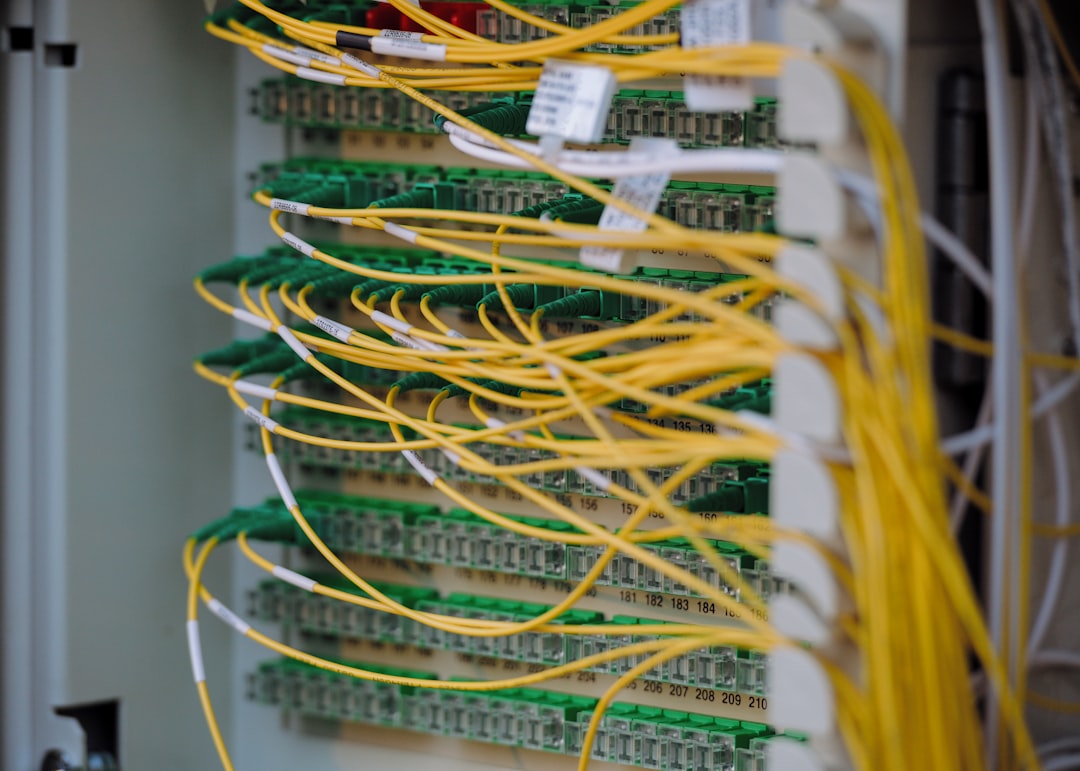
Photo by Albert Stoynov on Unsplash
But Ceph was designed for data centers, not apartments. Running it in a homelab means understanding what you're getting into: the hardware demands, the operational complexity, and when it makes sense versus simpler alternatives like ZFS on a single machine.

When Ceph Makes Sense (and When It Doesn't)
Ceph is a good fit when:
- You have 3+ servers and want shared storage across them
- You need storage that survives the complete loss of any single node
- You're running a Proxmox or Kubernetes cluster and need shared block storage or a shared filesystem
- You want to add storage capacity incrementally by adding disks or nodes
Ceph is NOT a good fit when:
- You have a single server (use ZFS instead)
- You have less than 3 nodes (Ceph needs a quorum of monitors)
- Your network is 1 Gbps (Ceph needs 10 Gbps for reasonable performance)
- You just need a NAS (TrueNAS or a simple ZFS server is far simpler)
- Your total storage need is under 10 TB (the overhead isn't worth it)
If your setup doesn't meet these requirements, stop here. ZFS on a single server or a simple DRBD mirror will serve you better with a fraction of the complexity.
Minimum Hardware Requirements
| Component | Minimum | Recommended |
|---|---|---|
| Nodes | 3 | 3-5 |
| Network | 10 Gbps | 10 Gbps (25 Gbps ideal) |
| RAM per OSD | 4 GB | 8 GB |
| CPU | 1 core per OSD | 2 cores per OSD |
| OS disk | Separate from OSD disks | SSD, 64 GB+ |
| OSD disks | HDD or SSD (unmixed) | SSD for performance, HDD for capacity |
| WAL/DB | Same disk (HDD) or NVMe (recommended for HDD OSDs) | NVMe for WAL+DB when using HDD OSDs |
Each OSD (Object Storage Daemon) manages one disk. A 3-node cluster with 4 disks per node has 12 OSDs. The monitors (MON) need odd numbers (3 or 5) for quorum.
RAM calculation example: 3 nodes, 4 OSDs each at 8 GB = 96 GB RAM just for Ceph. Your nodes need additional RAM for the OS, VMs, and other workloads.
Deployment with Cephadm
Cephadm is the modern deployment tool for Ceph. It uses containers (podman or docker) and manages the Ceph daemons as systemd services.
Bootstrap the First Node
# Install cephadm
curl --silent --remote-name --location \
  https://download.ceph.com/rpm-reef/el9/noarch/cephadm
chmod +x cephadm
sudo mv cephadm /usr/local/bin/

# Bootstrap the cluster (creates first MON and MGR)
sudo cephadm bootstrap \
  --mon-ip 10.0.0.10 \
  --cluster-network 10.0.1.0/24 \
  --allow-fqdn-hostname
The --cluster-network separates replication traffic from client traffic. This is important — replication traffic is high-volume and will compete with client I/O if they share a network.
Cephadm prints the dashboard URL and admin credentials on completion.
Add Nodes
# Copy the SSH key to other nodes
ssh-copy-id root@ceph-node2
ssh-copy-id root@ceph-node3

# Add hosts to the cluster
sudo ceph orch host add ceph-node2 10.0.0.11
sudo ceph orch host add ceph-node3 10.0.0.12

# Verify hosts
sudo ceph orch host ls
Add OSDs
# List available disks on all nodes
sudo ceph orch device ls

# Add all available (unused) disks as OSDs
sudo ceph orch apply osd --all-available-devices

# Or add specific disks
sudo ceph orch daemon add osd ceph-node1:/dev/sdb
sudo ceph orch daemon add osd ceph-node1:/dev/sdc
Verify Cluster Health
sudo ceph status
# Output:
#   cluster:
#     id:     a1b2c3d4-...
#     health: HEALTH_OK
#   services:
#     mon: 3 daemons, quorum ceph-node1,ceph-node2,ceph-node3
#     mgr: ceph-node1(active), standbys: ceph-node2
#     osd: 12 osds: 12 up, 12 in

sudo ceph osd tree
# Shows the CRUSH hierarchy: root → hosts → OSDs
Want more storage guides? Get guides like this in your inbox — HomeLab Starter delivers one free deep-dive every week.
Creating Storage Pools
Ceph pools are where data lives. The two key parameters are the pool type (replicated or erasure coded) and the replication factor.
Replicated Pool (Recommended for Homelabs)
# Create a replicated pool with size 3 (data on 3 OSDs)
sudo ceph osd pool create homelab-rbd 64 64 replicated
sudo ceph osd pool set homelab-rbd size 3
sudo ceph osd pool set homelab-rbd min_size 2

# Enable the pool for RBD
sudo ceph osd pool application enable homelab-rbd rbd
With size 3 and 3 nodes, your data survives the loss of any single node. The trade-off: 1 TB of data uses 3 TB of raw disk space.
Erasure Coded Pool
Erasure coding gives you more usable space per raw TB but with higher CPU overhead and some limitations (no partial writes, so not suitable for RBD without a cache tier).
# Create a k=2, m=1 erasure profile (2 data chunks, 1 parity)
sudo ceph osd erasure-code-profile set ec-21 k=2 m=1

# Create the pool
sudo ceph osd pool create data-archive erasure ec-21
For homelabs, stick with replicated pools. The space savings of erasure coding aren't worth the complexity and performance trade-offs at small scale.
Using Ceph Storage
RBD (Block Devices)
RBD provides virtual block devices — the Ceph equivalent of a virtual disk. Proxmox and Kubernetes both support RBD natively.
# Create a 100 GB block device
sudo rbd create --size 102400 homelab-rbd/vm-disk-1

# Map it on a client (makes it appear as /dev/rbd0)
sudo rbd map homelab-rbd/vm-disk-1

# Format and mount
sudo mkfs.ext4 /dev/rbd0
sudo mount /dev/rbd0 /mnt/ceph-block
CephFS (Distributed Filesystem)
CephFS provides a POSIX-compliant distributed filesystem that can be mounted on multiple clients simultaneously.
# Create the filesystem (needs separate metadata and data pools)
sudo ceph fs volume create homelabfs

# Mount on a client
sudo mount -t ceph ceph-node1:/ /mnt/cephfs \
  -o name=admin,secret=$(sudo ceph auth get-key client.admin)

# Or use the ceph-fuse client (doesn't require kernel module)
sudo ceph-fuse /mnt/cephfs
Integration with Proxmox
Proxmox has built-in Ceph support. You can install and manage Ceph directly from the Proxmox GUI or add an external cluster:
# On each Proxmox node, add the Ceph storage backend
# In /etc/pve/storage.cfg:
rbd: ceph-rbd
    pool homelab-rbd
    monhost 10.0.0.10 10.0.0.11 10.0.0.12
    content images,rootdir
    krbd 0
VM disks stored on Ceph RBD can be live-migrated between Proxmox nodes without shared NFS — the storage is already accessible from all nodes.
Performance Tuning
Network
Ceph performance is network-bound in most homelab scenarios. Each write is replicated to multiple OSDs across the network.
# Verify network throughput between nodes (should be close to line rate)
iperf3 -s                           # On one node
iperf3 -c 10.0.1.11 -P 4           # From another node

# Enable jumbo frames on all Ceph network interfaces
sudo ip link set enp5s0 mtu 9000
OSD Tuning
# Increase OSD memory target (default 4 GB, increase for SSDs)
sudo ceph config set osd osd_memory_target 8589934592  # 8 GB

# For all-SSD clusters, increase the number of recovery threads
sudo ceph config set osd osd_recovery_max_active 5
sudo ceph config set osd osd_max_backfills 3
NVMe WAL/DB for HDD OSDs
If you're using HDDs for capacity, placing the WAL (Write-Ahead Log) and DB (BlueStore metadata) on NVMe dramatically improves small I/O performance:
# When adding OSDs, specify the WAL/DB device
sudo ceph orch daemon add osd ceph-node1:/dev/sdb \
  --db-devices /dev/nvme0n1
A single NVMe can typically serve WAL/DB for 4-6 HDD OSDs.
Monitoring
The Ceph dashboard (installed during bootstrap) provides a web UI for monitoring. For deeper integration with your existing monitoring stack:
# Enable the Prometheus module
sudo ceph mgr module enable prometheus

# Ceph exposes metrics on port 9283 by default
# Add to prometheus.yml:
scrape_configs:
  - job_name: 'ceph'
    static_configs:
      - targets: ['ceph-node1:9283']
Key metrics to watch:
ceph_health_status— 0 is healthy, 1 is warning, 2 is errorceph_osd_op_r_latency_sum/ceph_osd_op_w_latency_sum— read/write latencyceph_pool_bytes_used— pool usageceph_osd_in— number of OSDs participating in the cluster
Common Pitfalls
Clock skew: Ceph monitors require synchronized clocks. Use chrony or NTP on all nodes. A 50ms skew triggers warnings; larger skews cause MON failures.
Full OSDs: Ceph stops accepting writes when usage reaches 85% (
full_ratio). Plan capacity carefully and set up alerting well below this threshold.Unbalanced placement: The CRUSH algorithm distributes data by weight. If nodes have different disk counts or sizes, adjust OSD weights to balance utilization.
Single-NIC setups: Running cluster traffic and client traffic on the same NIC halves your effective bandwidth and creates contention. Use separate NICs or at minimum separate VLANs.
Upgrades: Ceph upgrades must be done in order (MONs first, then MGRs, then OSDs) and require careful planning. Read the release notes. Cephadm simplifies this with
ceph orch upgrade start --image <new-version>, but always test in a non-production environment first.
Ceph is a powerful, production-grade storage system. But it's also the most complex storage solution you can run in a homelab. If you have 3+ nodes with 10 Gbps networking and need shared, redundant storage, it delivers. If you're not there yet, keep it simple with ZFS and revisit Ceph when your infrastructure grows to match its requirements.