Setting Up a Proper Server Rack at Home
There comes a point in every homelab's evolution where the collection of boxes stacked on a shelf, sitting on the floor, or balanced on top of each other needs to be organized. A server rack isn't just about aesthetics — though a clean rack is genuinely satisfying. It's about airflow, cable management, accessibility, and not having your partner threaten to throw your equipment out.
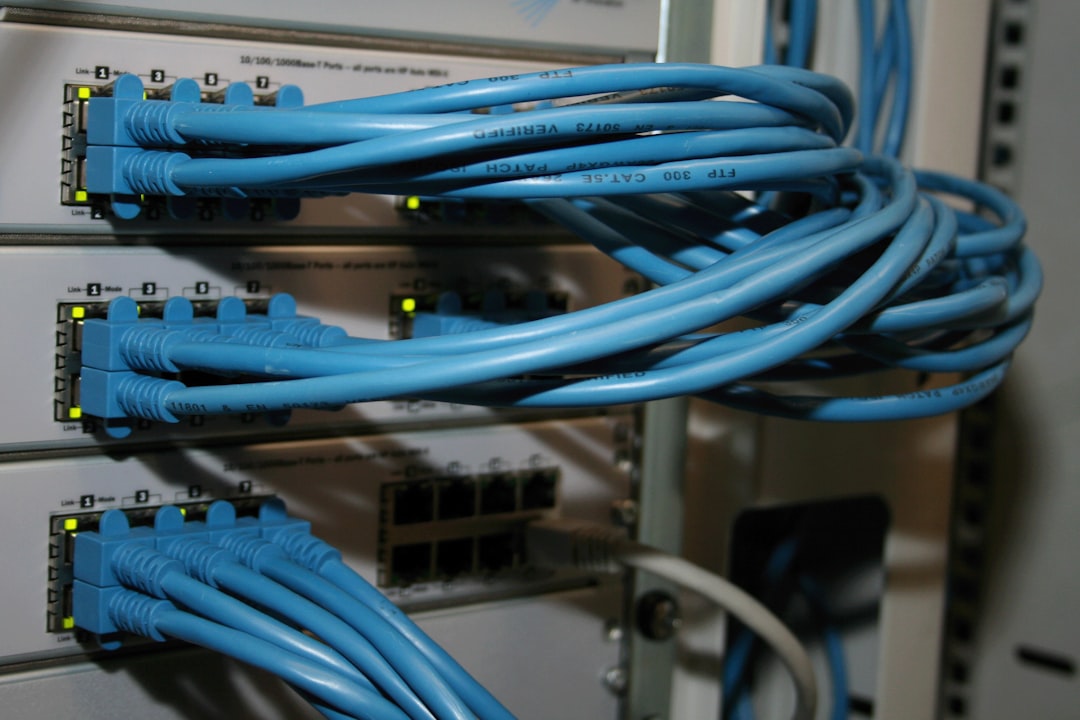
Photo by U. Storsberg on Unsplash

You don't need a full 42U data center rack. Most homelabs fit comfortably in a small rack, and the setup choices you make around size, cooling, and placement matter more than the rack itself.
Choosing a Rack Size
Server racks are measured in rack units (U). One U is 1.75 inches (44.45 mm) of vertical space. Common sizes:
- 8-12U — Wall-mount or small freestanding. Good for a switch, patch panel, a couple of 1U servers, and a UPS. Fits in a closet.
- 15-22U — The sweet spot for most homelabs. Enough room for several servers, networking gear, a UPS, and growth room.
- 25-42U — Full-size racks. Only worth it if you have dedicated space and plan to fill it. A 42U rack is 6 feet tall and heavy.
Recommendation for most people: a 15-22U rolling rack. It fits a typical homelab with room to grow, is manageable to move, and doesn't dominate a room.
Rack Depth
This is the measurement people overlook and then regret. Server racks come in different depths:
- Short depth (under 600mm/24") — Fits networking gear, patch panels, and short-depth servers. Won't fit full-depth rackmount servers like Dell PowerEdges or HP ProLiants.
- Standard depth (800-1000mm/31-39") — Fits everything. Full-depth servers, UPS units, and cable management behind the equipment.
Measure your deepest piece of equipment (including cable clearance behind it) before buying. A Dell R720 is about 29 inches deep. Add a couple of inches for cables and power, and you need at least 32 inches of usable depth.
If you're only running mini PCs, switches, and a NAS on a shelf, short depth works fine. If you have or plan to buy rackmount servers, get a standard depth rack.
Open Frame vs Enclosed
Open frame (two-post or four-post): Cheaper, better airflow, easier to work in. Looks like a metal skeleton. No dust filtration, no sound dampening.
Enclosed (cabinet with doors and side panels): Reduces noise, keeps dust out, looks cleaner. Some have locking doors. More expensive, heavier, harder to work in from the sides.
For a homelab in a living space, an enclosed rack with perforated front and rear doors is the right call. The noise reduction alone is worth it. If your rack lives in a garage, basement, or dedicated server room, open frame is cheaper and more practical.
Want more hardware guides? Get guides like this in your inbox — HomeLab Starter delivers one free deep-dive every week.
Placement and Environment
Where you put the rack matters more than most people think:
Temperature: Servers generate heat. A closet with no ventilation will become an oven. If the rack is enclosed in a small space, you need either active ventilation (a vent fan to another room) or air conditioning. Ambient temperature above 85F/30C will shorten equipment life and increase fan speeds (noise).
Flooring: A loaded rack can weigh 200-400+ lbs. Make sure the floor can handle it. Casters help with moving but should have locks. On carpet, use a plywood sheet under the rack to distribute weight.
Network runs: Place the rack near where your network enters the house (cable modem, ONT, fiber handoff) to minimize long cable runs. Running a single trunk of Ethernet cables from the rack to the rest of the house is cleaner than running individual cables from scattered equipment.
Power: You need at least one dedicated 20A circuit, ideally two for redundancy. Running a homelab off a bedroom outlet shared with a space heater is asking for trouble.
Essential Rack Accessories
PDU (Power Distribution Unit)
A rackmount PDU is a power strip designed for rack mounting. Basic ones are just outlets on a strip. Smart PDUs add per-outlet power monitoring, remote switching, and SNMP/web management.
At minimum, get a basic rackmount PDU with enough outlets for your gear. Two PDUs on separate circuits give you redundancy if a breaker trips.
Mount PDUs vertically on the side rails if your rack supports it — this saves U space.
Shelf
Not everything is rackmountable. Mini PCs, external drives, Raspberry Pis, and miscellaneous gadgets need a shelf. A 1U vented shelf costs $15-30 and holds whatever you need to stick in the rack.
Patch Panel
If you have Ethernet runs to other rooms, terminate them at a patch panel. This keeps things organized and makes it easy to change port assignments without pulling cables. A 24-port keystone patch panel with Cat6 keystones costs about $25-40.
Blanking Panels
Fill empty U spaces with blanking panels. They're not just cosmetic — they direct airflow through equipment instead of letting it recirculate through empty gaps. A set of 1U blanking panels costs a few dollars and makes a real difference in cooling.
Cable Management
Horizontal cable management panels (the U-shaped bars with hooks) mount between your patch panel and switches. They keep patch cables organized instead of becoming a tangled mess.
Velcro straps are better than zip ties for homelab cable management. You'll be adding and removing cables regularly, and cutting zip ties every time is tedious. Buy a roll of velcro cable ties and never look back.
Cooling
Rack cooling in a homelab is usually simpler than people think:
Passive cooling works for most setups. If the rack is in a room with normal HVAC and the door/panels are perforated, server fans pull cool air from the front, push hot air out the back, and the room's AC handles it.
Fan trays mount at the top of the rack and pull hot air upward and out. Useful for enclosed racks or racks in tight spaces. A quiet 120mm fan tray running at low speed can drop internal temps by 5-10F.
Front-to-back airflow is critical. Mount all equipment so it draws air from the front and exhausts out the back. Rack servers are designed this way. If something has side vents (like some consumer NAS units), put it on a shelf with clearance on both sides.
Monitor temperatures. A cheap USB temperature sensor or a network-enabled temperature monitor (like a Raspberry Pi with a DHT22 sensor) tells you if your cooling is adequate. Prometheus and Grafana can graph it alongside your other metrics.
Noise Management
Server noise is the number one reason homelabs get banished to garages and basements. Some approaches that help:
Replace server fans. Stock fans in used enterprise servers are designed for data centers where nobody can hear them. Replacing them with Noctua fans (if the pinout matches) can drop noise dramatically. Check forums for your specific server model — fan replacements are well-documented for popular models like the Dell R720/R730 and HP DL360/DL380.
Use an enclosed rack. Even without sound-dampening material, the panels absorb some noise. Adding acoustic foam to the inside of side panels (not blocking airflow) helps more.
Set fan curves. IPMI/iDRAC/iLO management interfaces often let you set custom fan curves. Running fans at 20% instead of 50% can cut noise in half while keeping temperatures acceptable.
Consider the gear itself. Some equipment is inherently loud — 1U servers are louder than 2U because the fans are smaller and spin faster to move the same air. Tower servers are quieter than rackmount. Mini PCs are nearly silent. If noise is a priority, choose gear accordingly.
Example Homelab Rack Layout (15U)
From top to bottom:
U15: Blanking panel
U14: Patch panel (24-port)
U13: Cable management
U12: Network switch (24-port managed)
U11: Blanking panel
U10: 1U server (Proxmox node 1)
U9:  1U server (Proxmox node 2)
U8:  Blanking panel
U7:  1U shelf (Raspberry Pis, mini PC)
U6:  Blanking panel
U5:  2U NAS
U4:  (NAS continued)
U3:  Blanking panel
U2:  2U UPS
U1:  (UPS continued)
Heavy items (UPS, NAS) go at the bottom for stability. Networking goes at the top for easy access to patch cables. Servers in the middle.
What to Spend
Homelab racks don't need to be expensive:
- Used racks: Check Facebook Marketplace, Craigslist, and local data center liquidations. Full-size racks go for $50-200, sometimes free if you pick them up.
- New 15U enclosed racks: $150-400 depending on depth and quality. NavePoint, StarTech, and Sysracks are popular homelab brands.
- Open frame racks: $80-200 new. Cheaper and lighter.
- Wall-mount racks: $50-150 for 8-12U. Good for apartments where floor space is limited.
Don't overbuy. A 22U rack that's half empty is fine — you'll fill it eventually, and the extra space helps with airflow. But a 42U rack in an apartment is overkill you'll regret moving.
The rack is the foundation of an organized homelab. It takes a scattered collection of equipment and turns it into something manageable, maintainable, and — if you're being honest — something you're proud to show off on Reddit.