Plex vs Jellyfin vs Emby: Choosing a Media Server for Your Homelab
A media server is often the gateway drug to homelabbing. You start with a hard drive full of movies, discover that streaming them to your TV is better than copying files to a USB stick, and six months later you have a rack full of servers running 40 containers. It's a well-trodden path.
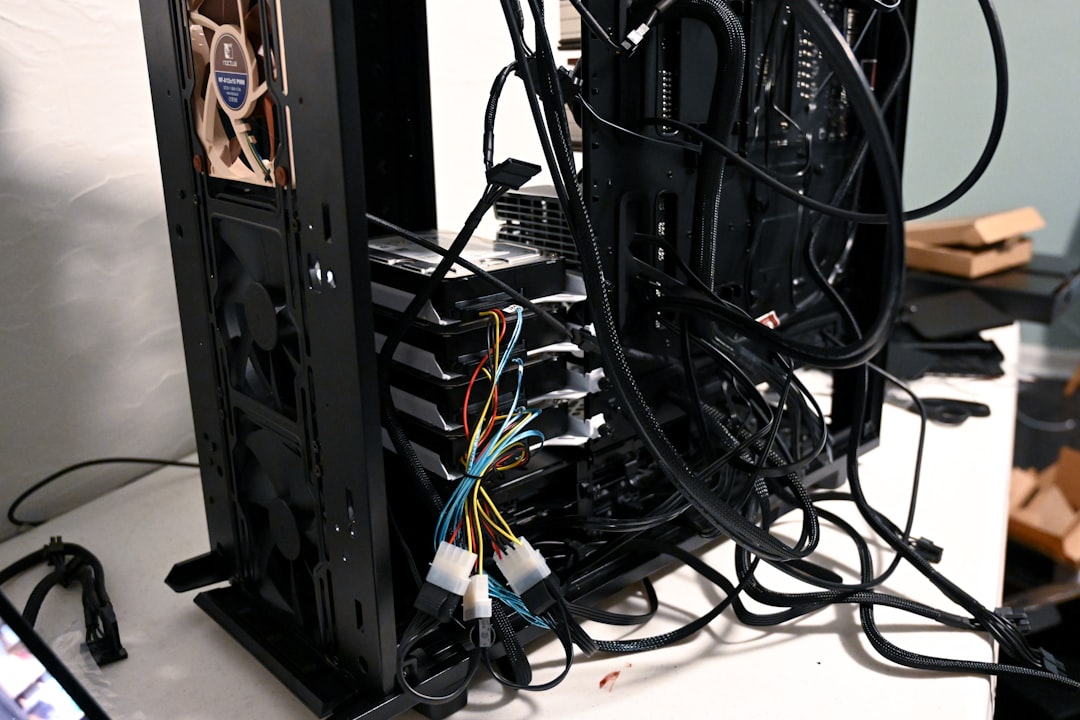
Photo by Nathan Anderson on Unsplash
The three major media server options — Plex, Jellyfin, and Emby — all solve the same core problem: organize your media library and stream it to any device. But they differ significantly in philosophy, pricing, client quality, and how much control you get. This guide breaks down the real-world differences so you can pick the right one for your setup.

Quick Comparison
| Feature | Plex | Jellyfin | Emby |
|---|---|---|---|
| Price | Free + Plex Pass ($120 lifetime) | Completely free | Free + Premiere ($119 lifetime) |
| Open source | No | Yes (GPLv2) | No (was open, went closed) |
| Account required | Yes (Plex account) | No | Optional |
| Hardware transcoding | Plex Pass required | Free | Premiere required |
| Client apps | Excellent (all platforms) | Good (improving) | Good |
| Remote streaming | Built-in relay | Manual setup | Manual setup |
| Music streaming | Plexamp (excellent) | Decent | Basic |
| Live TV/DVR | Plex Pass required | Free | Premiere required |
| Offline sync | Plex Pass required | Plugin-based | Premiere required |
| Multi-user | Managed users + home | Built-in | Built-in |
| Library sharing | Easy (Plex ecosystem) | Manual (no discovery) | Manual |
| Plugin ecosystem | Limited (removed most) | Growing | Moderate |
| Phone home | Yes (telemetry) | No | Minimal |
Plex: The Polish Choice
Plex is the most polished media server available. Its client apps are consistently excellent across every platform — smart TVs, game consoles, Roku, Apple TV, Fire TV, iOS, Android, and web browsers. If you're sharing your library with non-technical family members, Plex's UI and onboarding are hard to beat.
Deployment
services:
  plex:
    image: lscr.io/linuxserver/plex:latest
    container_name: plex
    restart: unless-stopped
    network_mode: host    # Recommended for discovery
    environment:
      - PUID=1000
      - PGID=1000
      - TZ=America/New_York
      - VERSION=docker
      - PLEX_CLAIM=claim-xxxxxxxxxxxxxxxxxxxx  # Get from plex.tv/claim
    volumes:
      - ./plex-config:/config
      - /mnt/media/movies:/movies
      - /mnt/media/tv:/tv
      - /mnt/media/music:/music
    devices:
      - /dev/dri:/dev/dri    # Intel QuickSync for hardware transcoding
Hardware Transcoding Setup
Hardware transcoding (converting video formats on-the-fly) is critical for smooth playback on devices that don't support your media's codec. Without it, a 4K HEVC file will crush your CPU.
Intel QuickSync (most recommended for homelabs):
    devices:
      - /dev/dri:/dev/dri
    environment:
      # Ensure the container user can access the GPU
      - PLEX_CLAIM=claim-xxxxxxxxxxxxxxxxxxxx
NVIDIA GPU:
    runtime: nvidia
    environment:
      - NVIDIA_VISIBLE_DEVICES=all
      - NVIDIA_DRIVER_CAPABILITIES=compute,video,utility
Verify transcoding is working by playing a file that requires it (e.g., 4K HEVC on a device that only supports 1080p H.264) and checking the Plex dashboard for "(hw)" next to the transcoding indicator.
Plex Pass: Worth It?
The free tier is functional but limited. Here's what Plex Pass adds:
- Hardware transcoding (essential for 4K libraries)
- Offline sync to mobile devices
- Live TV and DVR (with a compatible tuner)
- Lyrics for music
- Plex Discover credits for watch history
Verdict: If you have more than a couple of users or any 4K content, the $120 lifetime Plex Pass pays for itself quickly in CPU savings from hardware transcoding alone.
Plex's Downsides
- Requires a Plex account and internet connection — if Plex's auth servers go down, you can't access your own media (there are workarounds, but it's a pain)
- Telemetry and data collection — Plex knows what you watch
- Increasingly ad-supported — free movies/TV/streaming content mixed into your library UI
- Removed plugins — the plugin system that made Plex extensible is gone
- Features locked behind Plex Pass — hardware transcoding being paywalled is frustrating
Jellyfin: The Freedom Choice
Jellyfin is a community-developed fork of Emby that's completely free and open source. No accounts, no telemetry, no premium tier. Every feature is available to everyone. It started as a reaction to Emby going closed-source, and the project has matured significantly.
Deployment
services:
  jellyfin:
    image: jellyfin/jellyfin:latest
    container_name: jellyfin
    restart: unless-stopped
    ports:
      - "8096:8096"
      - "8920:8920"     # Optional: HTTPS
      - "7359:7359/udp" # Optional: Client discovery
    volumes:
      - ./jellyfin-config:/config
      - ./jellyfin-cache:/cache
      - /mnt/media/movies:/media/movies
      - /mnt/media/tv:/media/tv
      - /mnt/media/music:/media/music
    devices:
      - /dev/dri:/dev/dri    # Hardware transcoding — free!
    environment:
      - JELLYFIN_PublishedServerUrl=jellyfin.home.lab
Hardware Transcoding
Jellyfin supports hardware transcoding out of the box — no premium tier required. Configuration is in the dashboard under Administration > Playback > Transcoding.
Supported hardware acceleration:
| Method | Hardware | Performance |
|---|---|---|
| VAAPI | Intel iGPU, AMD | Good, most compatible |
| QSV | Intel iGPU (6th gen+) | Excellent |
| NVENC | NVIDIA GPU | Excellent |
| V4L2 | Raspberry Pi | Limited |
For Intel QuickSync with tone-mapping (HDR to SDR conversion):
    devices:
      - /dev/dri:/dev/dri
    environment:
      # Enable QSV with tone mapping
      - JELLYFIN_PublishedServerUrl=jellyfin.home.lab
Then in the Jellyfin dashboard:
- Enable "Intel QuickSync (QSV)" as the hardware acceleration method
- Check "Enable hardware decoding for" all available codecs
- Enable "Enable tone mapping" for HDR content
- Enable "Enable VPP tone mapping" for better quality
Client App Quality
This is Jellyfin's main weakness compared to Plex. The client situation as of 2026:
| Platform | App Quality | Notes |
|---|---|---|
| Web browser | Excellent | Best client overall |
| Android | Good | Stable, full-featured |
| Android TV | Good | Works well, some UI quirks |
| iOS | Good | Swiftfin is solid |
| Apple TV | Good | Swiftfin for tvOS |
| Roku | Functional | Basic but works |
| Smart TVs (LG/Samsung) | Limited | Web-based, basic |
| Fire TV | Good | Android TV app works |
| Desktop | Jellyfin Media Player | Excellent (MPV-based) |
The gap with Plex has narrowed significantly, but Plex still wins on smart TV apps and Roku.
Jellyfin's Strengths
- Completely free — no premium tier, no paywalled features
- No account required — works entirely on your local network
- No telemetry — your data stays yours
- Open source — community-driven development, forks possible
- Plugin system — active plugin ecosystem (intro skipper, anime metadata, etc.)
- Free hardware transcoding — no artificial limitations
Want more media guides? Get guides like this in your inbox — HomeLab Starter delivers one free deep-dive every week.
Emby: The Middle Ground
Emby sits between Plex and Jellyfin. It's a closed-source commercial product with a premium tier, but it doesn't require an internet connection or external account. It has good client apps and a clean interface.
Deployment
services:
  emby:
    image: lscr.io/linuxserver/emby:latest
    container_name: emby
    restart: unless-stopped
    ports:
      - "8096:8096"
      - "8920:8920"
    volumes:
      - ./emby-config:/config
      - /mnt/media/movies:/media/movies
      - /mnt/media/tv:/media/tv
    devices:
      - /dev/dri:/dev/dri
    environment:
      - PUID=1000
      - PGID=1000
      - TZ=America/New_York
Why Choose Emby
Emby makes sense if you want something more polished than Jellyfin but without Plex's account dependency and ad-supported content. Its library management is arguably the best of the three, and its client apps are consistently good.
However, Emby's mindshare has declined significantly since Jellyfin's emergence. Most homelabbers now choose between Plex and Jellyfin, with Emby occupying a shrinking niche.
Integration with the Arr Stack
The real power of a homelab media setup comes from combining your media server with automation tools. The arr stack (Sonarr, Radarr, Prowlarr, etc.) handles the acquisition and organization pipeline, while your media server handles playback.
Architecture Overview
[Jellyseerr/Overseerr] → Request interface
         ↓
[Sonarr/Radarr] → Searches indexers, manages downloads
         ↓
[qBittorrent/SABnzbd] → Downloads content
         ↓
[Sonarr/Radarr] → Renames, organizes into library folders
         ↓
[Plex/Jellyfin/Emby] → Detects new files, serves to clients
Folder Structure
All three media servers and the arr stack need access to the same media library. The recommended structure:
/mnt/media/
├── movies/
│   ├── Movie Name (2024)/
│   │   └── Movie Name (2024).mkv
│   └── ...
├── tv/
│   ├── Show Name/
│   │   ├── Season 01/
│   │   │   ├── Show Name - S01E01 - Episode Title.mkv
│   │   │   └── ...
│   │   └── ...
│   └── ...
├── music/
│   ├── Artist/
│   │   ├── Album (Year)/
│   │   │   └── 01 - Track.flac
│   │   └── ...
│   └── ...
└── downloads/
    ├── complete/
    └── incomplete/
Docker Compose for the Complete Stack
services:
  jellyfin:
    image: jellyfin/jellyfin:latest
    container_name: jellyfin
    restart: unless-stopped
    ports:
      - "8096:8096"
    volumes:
      - ./jellyfin-config:/config
      - /mnt/media:/media:ro    # Read-only — Jellyfin doesn't need write access
    devices:
      - /dev/dri:/dev/dri

  sonarr:
    image: lscr.io/linuxserver/sonarr:latest
    container_name: sonarr
    restart: unless-stopped
    ports:
      - "8989:8989"
    volumes:
      - ./sonarr-config:/config
      - /mnt/media:/media       # Needs write access for organization
    environment:
      - PUID=1000
      - PGID=1000

  radarr:
    image: lscr.io/linuxserver/radarr:latest
    container_name: radarr
    restart: unless-stopped
    ports:
      - "7878:7878"
    volumes:
      - ./radarr-config:/config
      - /mnt/media:/media
    environment:
      - PUID=1000
      - PGID=1000

  prowlarr:
    image: lscr.io/linuxserver/prowlarr:latest
    container_name: prowlarr
    restart: unless-stopped
    ports:
      - "9696:9696"
    volumes:
      - ./prowlarr-config:/config
    environment:
      - PUID=1000
      - PGID=1000

  qbittorrent:
    image: lscr.io/linuxserver/qbittorrent:latest
    container_name: qbittorrent
    restart: unless-stopped
    ports:
      - "8080:8080"
      - "6881:6881"
      - "6881:6881/udp"
    volumes:
      - ./qbittorrent-config:/config
      - /mnt/media/downloads:/downloads
    environment:
      - PUID=1000
      - PGID=1000
      - WEBUI_PORT=8080

  jellyseerr:
    image: fallenbagel/jellyseerr:latest
    container_name: jellyseerr
    restart: unless-stopped
    ports:
      - "5055:5055"
    volumes:
      - ./jellyseerr-config:/app/config
    environment:
      - TZ=America/New_York
Connection Order
Set up the stack in this order:
- qBittorrent — Configure download paths (
/downloads/completeand/downloads/incomplete) - Prowlarr — Add your indexers
- Sonarr — Add root folder (
/media/tv), connect qBittorrent as download client, connect Prowlarr - Radarr — Add root folder (
/media/movies), connect qBittorrent, connect Prowlarr - Jellyfin — Add library folders (
/media/movies,/media/tv) - Jellyseerr — Connect to Jellyfin, Sonarr, and Radarr
The Hardlink Trick
If your downloads and media library are on the same filesystem, Sonarr/Radarr can use hardlinks instead of copying files. This means the download and the organized library entry share the same disk blocks — no duplicate disk usage:
    volumes:
      # Mount the PARENT of both downloads and library
      - /mnt/media:/media
In Sonarr/Radarr, set:
- Root folder:
/media/tvor/media/movies - Download client path:
/media/downloads/complete
Because both paths are under /media (same mount), hardlinks work automatically.
Transcoding Hardware Guide
Transcoding is the most hardware-intensive task your media server will perform. Choosing the right hardware matters.
Intel QuickSync (Recommended)
Intel's integrated GPUs from 6th generation (Skylake) onward provide excellent transcoding performance. A humble Intel Core i3 or even a Pentium/Celeron with QuickSync can handle multiple simultaneous 4K transcodes.
| Intel Generation | Best Feature | 4K HEVC Decode | HDR Tone Mapping |
|---|---|---|---|
| 7th (Kaby Lake) | Mainstream support | Yes | No |
| 10th (Ice Lake) | Improved quality | Yes | Basic |
| 11th (Rocket Lake) | Good tone mapping | Yes | Yes |
| 12th+ (Alder Lake) | AV1 decode + encode | Yes | Excellent |
The Intel N100 (found in many mini PCs) is a particularly popular choice for dedicated media servers. It handles 4K HEVC transcoding with tone mapping effortlessly while consuming under 10W.
NVIDIA GPUs
NVIDIA GPUs are transcoding powerhouses but come with artificial session limits on consumer cards (recent drivers have removed some limits). A GTX 1650+ or any Quadro/Tesla card works well.
AMD GPUs
AMD GPU transcoding support in Plex and Jellyfin has improved but still lags behind Intel and NVIDIA. Use VAAPI for AMD hardware acceleration.
Remote Access
Plex Remote Access
Plex includes built-in remote access through their relay servers. Enable it in Settings > Remote Access and Plex handles the NAT traversal. The relay has bandwidth limits for non-Plex Pass users.
Jellyfin/Emby Remote Access
For Jellyfin and Emby, you need to handle remote access yourself:
- Reverse proxy + port forwarding — Expose through Nginx/Caddy/Traefik with SSL
- Tailscale/WireGuard VPN — Access your home network securely (recommended)
- Cloudflare Tunnel — Free, no port forwarding needed, but Cloudflare's ToS technically prohibits video streaming
When to Choose Each Server
Choose Plex if:
- You share your library with non-technical family/friends
- You want the best client apps across all platforms
- Easy remote access without VPN setup matters to you
- You're willing to pay for Plex Pass ($120 lifetime)
- Music streaming is important (Plexamp is outstanding)
Choose Jellyfin if:
- You want a fully free and open-source solution
- Privacy matters — no accounts, no telemetry
- You want hardware transcoding without paying a premium
- You're comfortable with slightly less polished client apps
- You want an active plugin ecosystem
- You prefer local-only access or will set up your own remote access
Choose Emby if:
- You want a middle ground between Plex and Jellyfin
- Good library management tools are a priority
- You don't want to depend on external auth servers (like Plex)
- You're willing to pay for premium features
Practical Tips
Library Organization Matters
Regardless of which server you choose:
- Use a consistent naming scheme (Sonarr/Radarr handle this automatically)
- Keep movies and TV shows in separate root folders
- Use the movie/show name and year:
Movie Name (2024)/Movie Name (2024).mkv - Avoid deeply nested folder structures
Metadata Agents
All three servers pull metadata (posters, descriptions, ratings) from online databases. The default agents work well, but consider:
- TMDB for movies (most complete)
- TVDB or TMDB for TV shows
- MusicBrainz for music
Subtitle Management
Add Bazarr to your stack for automatic subtitle downloading:
  bazarr:
    image: lscr.io/linuxserver/bazarr:latest
    container_name: bazarr
    restart: unless-stopped
    ports:
      - "6767:6767"
    volumes:
      - ./bazarr-config:/config
      - /mnt/media:/media
    environment:
      - PUID=1000
      - PGID=1000
Connect Bazarr to Sonarr and Radarr, configure subtitle providers (OpenSubtitles, Subscene), and set your language preferences. Bazarr will automatically download subtitles for all your media.
Performance Tuning
- Disable unnecessary library scans — schedule them for off-hours instead of real-time monitoring
- Pre-convert problematic formats — use Tdarr to automatically convert media to formats your devices play natively, reducing transcoding load
- SSD for config/cache — media server databases and thumbnail caches benefit greatly from SSD speed
- Dedicated transcoding temp folder — point it at an SSD, not your media spinning drives
Final Thoughts
The media server landscape has genuinely improved over the past few years. Jellyfin has closed much of the gap with Plex, and all three options can deliver an excellent streaming experience. The choice often comes down to whether you value polish and ecosystem (Plex), freedom and privacy (Jellyfin), or something in between (Emby).
Many homelabbers run Jellyfin as their primary server while keeping a Plex instance for sharing with family members who are used to the Plex interface. There's nothing wrong with running both — they can point at the same media library without conflict.
Start with one, get your library organized, and build out the automation stack. The combination of a good media server and the arr suite is one of the most satisfying homelab setups you can build.